Accessing the Dashboard
The Dashboard is a web admin panel that mirrors part of the Bot's /admin menu (Events,
Positions, VIP, Reaction Roles, Verification, Profiles, Giveaways, Raffles, Tournaments, Cards,
Forms, Finance, Stream Alerts, and Server Log) in a browser instead of Discord. A few modules
(Staffing, Time Clock, Auto-Reactor, Glyph Builder, Leveling, Embeds, and Sticky Messages) stay
Discord-only for now.
Prerequisite: set up the Bot first
The Dashboard doesn't register your server on its own: that happens through the Bot (see Installing the Bot). If Frogge hasn't been set up in your server yet, the Dashboard will tell you so and point you back to Discord instead of showing your venue's data.
Signing in
- Open the Dashboard and click Sign in with Discord.
- Authorize with the same Discord account you use to manage your venue.
- You'll land on a venue picker listing every server where you have Manage Server and Frogge is already set up. If that's exactly one server, you're taken straight to its Events page. Otherwise, pick the venue you want to manage.
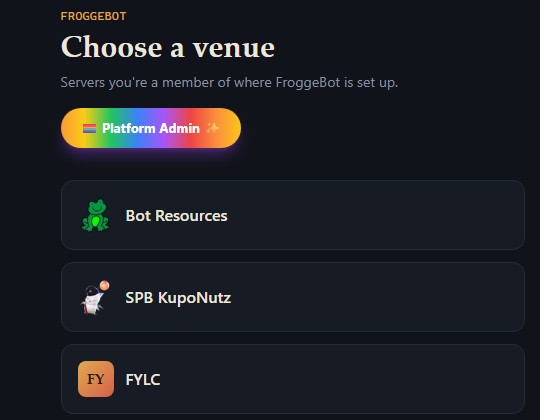
Screenshot needed
The sign-in screen.
What you'll see
Once you're in a venue, the Dashboard opens on Events by default, with every other Dashboard-available module (see above) listed alongside it in the sidebar. See Features for what each section covers, and which parts are Discord-only, Dashboard-only, or available on both.