Giveaways
🐸 Introduced in Frogge v0.3
Giveaways run a prize draw for your community: post one to a channel and members enter with a button, or tie it to a real Discord Scheduled Event where marking Interested is itself an entry. Winners can be picked manually any time, or left to roll themselves automatically once the giveaway's end date passes.
Quick Start
- Run /admin menu → → . A blank giveaway opens immediately.
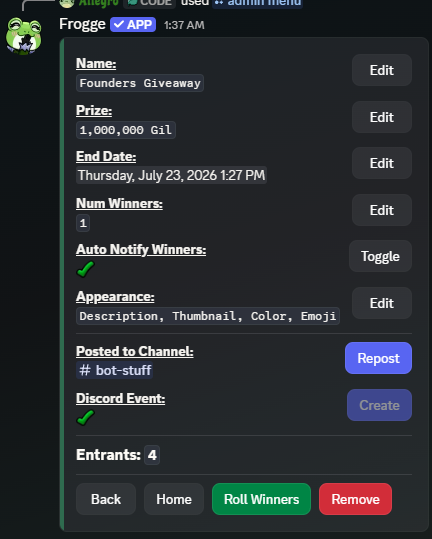
- Fill in Name, Prize, End Date, and Num Winners from the detail screen.
- Click and pick a channel: members can now enter with the Enter Giveaway button on the post.
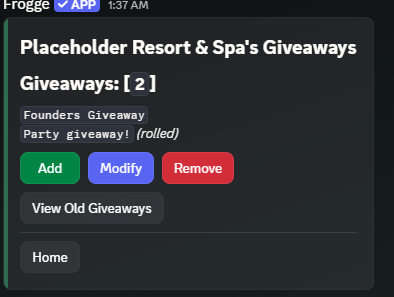 →
→ 
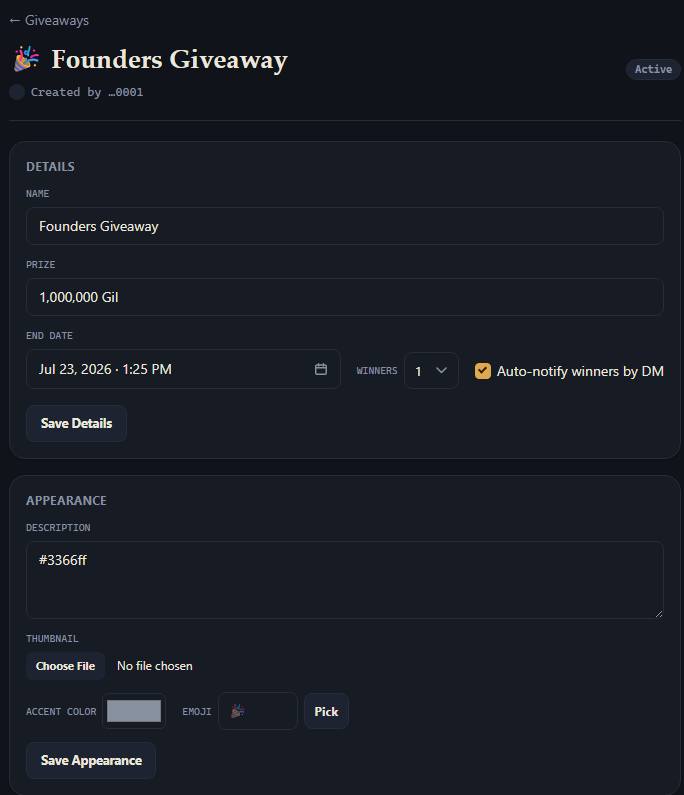
- Open Giveaways → + New Giveaway, then fill in its Details (name, prize, end date, winners) on the giveaway's own page.
- Posting has to happen in Discord. See below.
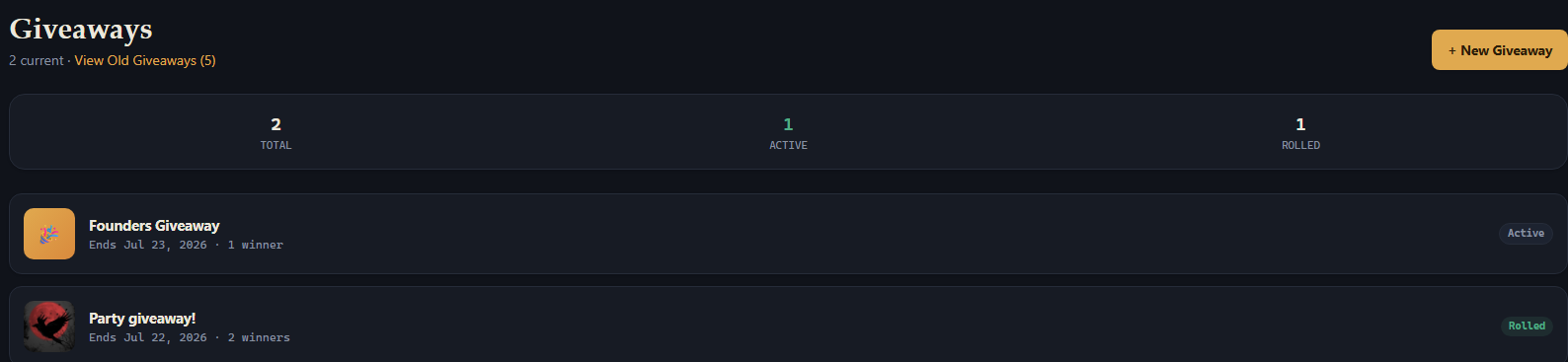 →
→ 
Full reference
Creating & editing
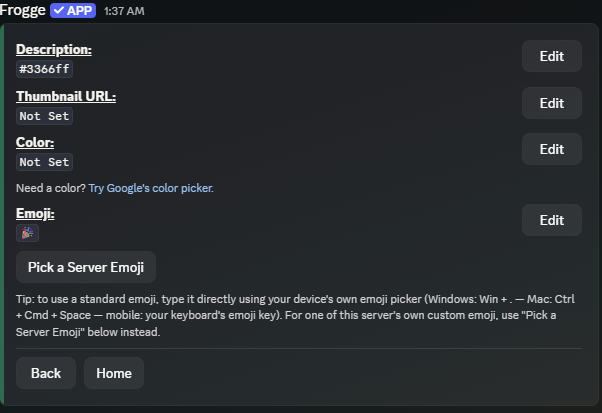
A giveaway's detail screen covers Name, Prize, End Date, Num Winners (1–10), and Auto Notify Winners (DM each winner when rolled). In Discord, Appearance (Description, Thumbnail, Color, Emoji) lives on its own sub-screen reached via its own Edit button (this screen alone hit Discord's 40-component-per-message cap during development, so it was split out); the Dashboard shows Details and Appearance as two separate forms on the same page instead.
Posting
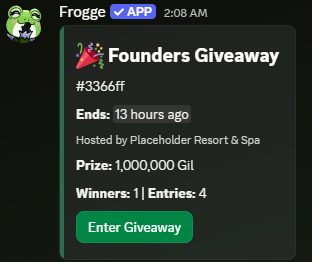
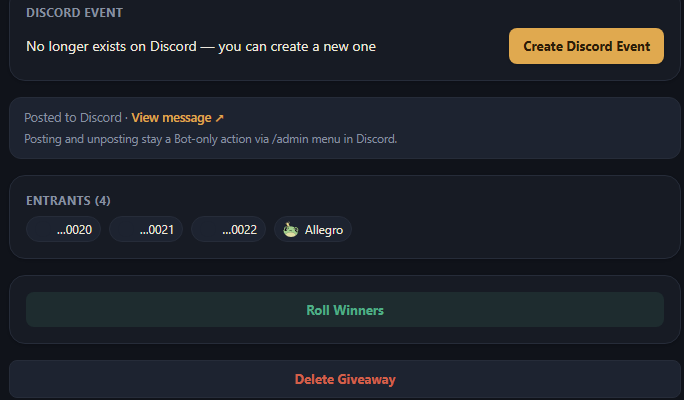
Discord only: the Dashboard's giveaway page links to a live post if one exists, but notes explicitly that posting and unposting stay a Discord-only action. picks a channel and posts a live-updating summary (thumbnail, prize, winner count, live entry count) with an Enter Giveaway button; posting is disabled once the giveaway's been rolled.
Discord Event integration
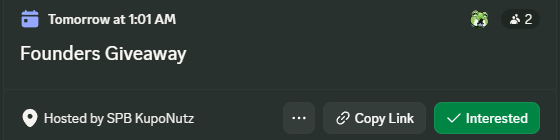
Optionally, (next to Discord Event, on either surface) creates a real Discord Scheduled Event for the giveaway. Marking Interested on that event counts as entering: Discord Event subscribers and posted-message entries merge into one always-live entrant count, re-synced every time the detail screen loads and again immediately before a roll, so the number you see is never split across two places. Only available before the giveaway is rolled, and only one Discord Event per giveaway. If one was created and then deleted on Discord's side directly, the Dashboard notices (a live status check, not a stale flag) and offers Create Discord Event again rather than pointing at a dead link.
Rolling winners
Three ways to roll, all converging on the same result:
- The detail screen's button, on either surface (re-labeled Re-Roll Winners after the first roll: Discord asks for confirmation before picking a fresh set; the Dashboard's Roll button does too, once already rolled).
- Roll Giveaway: right-click a giveaway's posted message in Discord → Apps. Discord only.
- Automatically: a background sweep rolls any giveaway that's passed its end date and was never manually rolled. You don't have to be online for a giveaway to conclude on time.
Rolling picks winners from the merged entrant pool, concludes or cancels the linked Discord Event (if any), and DMs each winner if Auto Notify is on: every path does all of this the same way, regardless of which one triggered it.
Old giveaways
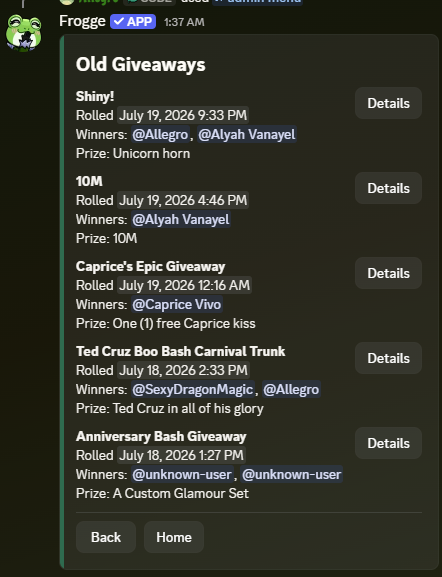
Discord only. A rolled giveaway stays on the main Giveaways list for 3 days (so it's still easy to find right after rolling), then drops off it automatically and moves to instead: a paginated, newest-rolled-first browse of everything past that grace period, showing each one's roll date, winners, and prize, with a button that opens the same detail screen (Re-Roll Winners still works from there).