Autoroles
✨ Introduced in Frogge v1.0
Autoroles automatically grants one or more Discord roles to every new member the moment they join, no conditions, no manual clicking. Available on both Discord and the Dashboard.
Quick Start
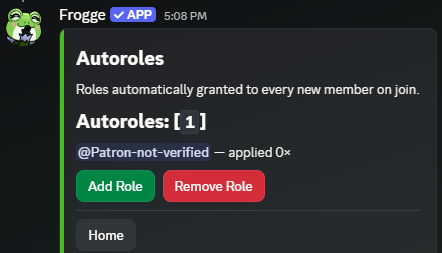
- Run /admin menu → → → , then pick a role from Discord's own role picker.
- That's it: every new member who joins from now on gets that role automatically. Add more roles the same way, or to stop granting one.
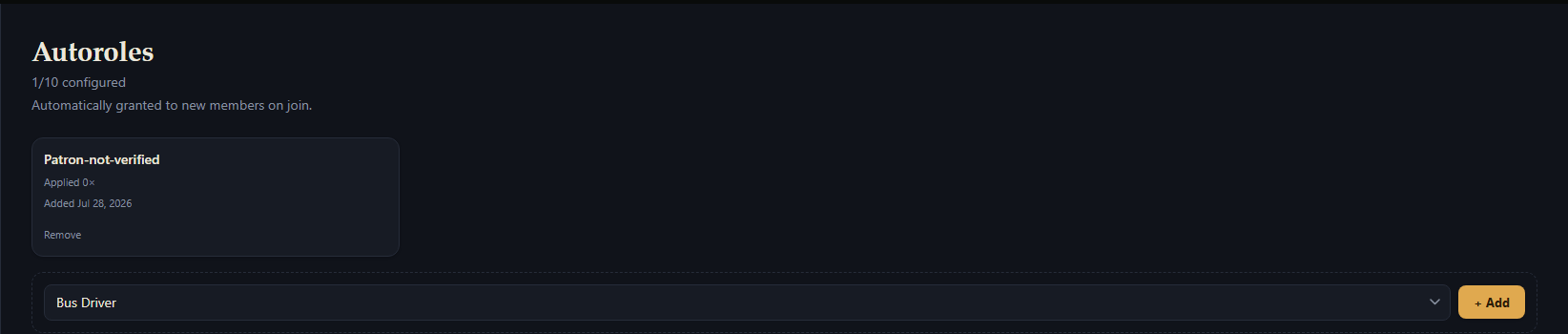
- Open Autoroles, pick a role from the dropdown (only roles not already configured are offered), then + Add.
- Remove on that role's card any time to stop granting it.
Full reference
How it works
A rule is just a role - there's no condition system, no per-rule toggle, and no schedule. The moment anyone (not a bot account) joins, Frogge grants every configured role in one pass, and each rule's line/card shows a running count of how many times it's been successfully applied.
Role Grant Failures
If Frogge can't grant a specific role for some member, that means it either:
- Sits above Frogge's own role in the server hierarchy
- Frogge lacks the Manage Roles permission
- The role belongs to another bot/integration
Any ungrantable role is silently skipped while other configured roles will still be applied normally. A member join is never blocked or delayed by an autorole failure.
Warning
Unlike Reaction Roles, there's no safety restriction on which roles can be configured here - Frogge will attempt to grant any role you pick, including one with Administrator permission. Choose carefully.
Creating & editing
opens a native Discord role picker (searchable). Picking a role already configured is rejected with "That role is already configured as an autorole."; picking one while already at your venue's cap is rejected before the picker even opens.
The add form only ever lists roles that aren't already configured, so a duplicate pick isn't possible from here. Once every server role is already configured (or you're at your venue's cap), the add form doesn't render at all.
A rule can't be edited after creation - remove it and add the role again if you need to "change" one. There's no per-rule or module-wide enable/disable toggle; a rule's existence is what makes it active.
Deleting
Removing a rule only stops granting it going forward: members who already received the role keep it, and Frogge never removes a role from anyone.
opens a paginated picker of your configured roles. A role since deleted from Discord shows as "Deleted Role ({id})" instead of erroring.
Remove on a role's card deletes it immediately, no confirmation prompt.
Limits
Up to 1 autorole per venue (10 on premium).
Related
- Standalone: doesn't connect to any other module.