Profiles
🐸 Introduced in Frogge v0.1
Profiles are RP character sheets. Any member can build one, not just staff (Profiles has no connection to Positions or Events). A member can own up to 10 characters, mark one Primary, and optionally submit each one for admin approval before posting it publicly.
Quick Start
Creating a character (Discord only, there's no Dashboard equivalent for this)
- Run /profile to open My Characters, then and name your character.
- Fill in as much or as little as you like across Main Info & Details, At-A-Glance, Personality, and Images, every field is optional except the name.
- Use any time to see exactly what others will see.
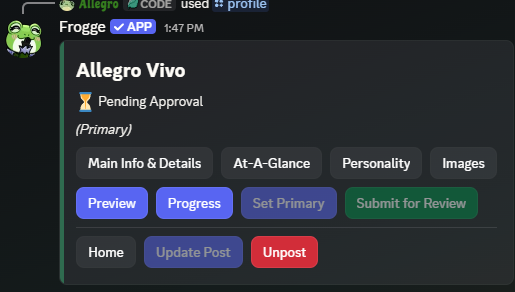
- When ready, (if your venue requires approval) or go straight to to make it public.
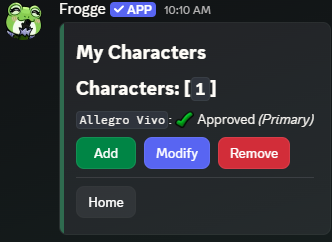 →
→ 
Reviewing submissions
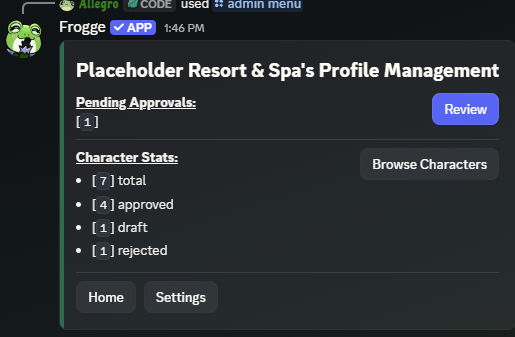
/admin menu → → lists everything pending, oldest first, pick one to see its full rendered profile and or (a reason is required and shown to the owner).
Profiles → Approval Queue shows the same pending list as cards; open one for a richer read-only detail view with Approve / Reject (with a reason) / Delete character.
Full reference
Creating & managing a character
Discord only: the Dashboard has no character creation or editing of any kind, only the review actions below.
A character's detail screen has four editable sections, plus three read-only/action screens:
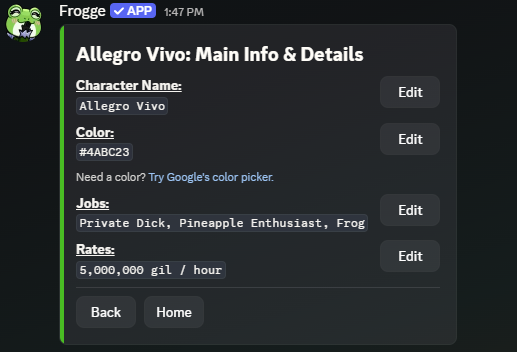
- Main Info & Details: Character Name, an accent Color, Jobs, Rates.
- At-A-Glance: Race/Clan (clan options depend on the race picked; every race also offers Custom and N/A, and there's a genuine Fantasia Addict race option for characters who've changed looks too many times to settle on one), Gender, Pronouns (pick any combination of 15 individual values, not fixed triads), Orientation, Home World (pick a Data Center, then a World on that DC), Height, Age, Mare Code.
- Personality: Likes, Dislikes, Personality, About Me.
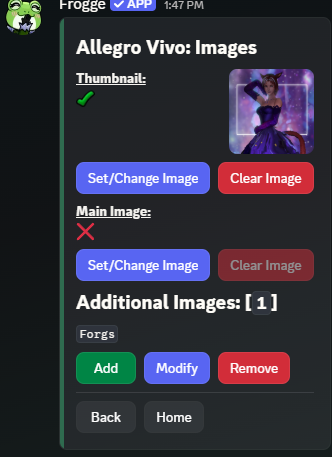
- Images: a Thumbnail and a Main Image (both URLs), plus up to 3 Additional Images with an optional caption each.
- Progress: a checklist of all 17 optional fields, showing how many are filled in.
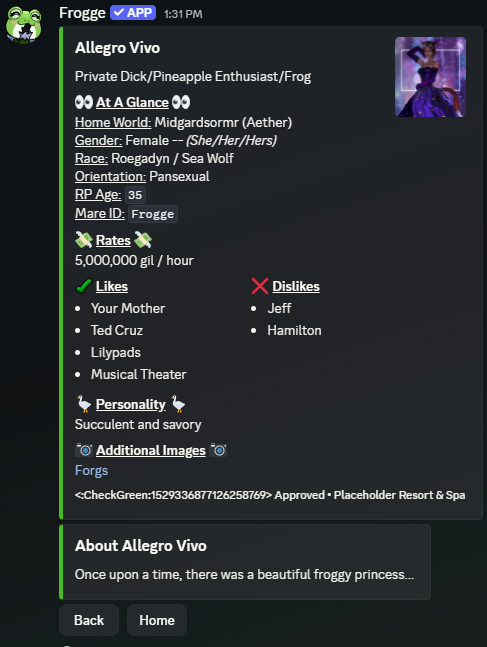
- Preview: the character exactly as it will be posted, including the approval-status badge.
- Set Primary: marks this as the member's primary character (cosmetic flag, shown wherever characters are listed).
Every editable section shares the same shape: a list of fields, each with its own Edit button. Images is the one exception, with real Set/Change/Clear buttons and an inline thumbnail preview instead of plain text fields.
Preview renders the character exactly as it posts: a main embed (name, Jobs as a subtitle line, thumbnail, At-A-Glance, Rates, Likes/Dislikes, Personality, and Additional Images) plus a separate "About {name}" embed for the About Me text, since that field alone can run past a single embed field's character cap.
If a character is already Approved and you edit its name, thumbnail, main image, or About Me, it automatically reverts to Pending Approval: those are the fields judged sensitive enough to warrant a re-review. Editing anything else on an approved character doesn't trigger review again.
Posting
Discord only, via / Update Post / on a character's detail screen: only enabled once a character is Approved. Posting asks which channel; posting again later becomes Update Post and refreshes the same message in place. A character too large for a single Discord embed (6,000 characters across title, fields, and footer) is rejected outright with an error rather than silently truncated. Trim a section and try again.
The Dashboard's character detail page shows a link to the live post if one exists, but posting and unposting stay a Discord-only, owner-driven action.
Approval workflow
(above) handles pending review. lists every character in the venue regardless of status, read-only aside from .
Profiles → Characters shows every character as a card grid, filterable by status (All / Approved / Pending Approval / Rejected / Draft), broader than Discord's Approval Queue, closer to Browse Characters but with the status filter Discord doesn't have. Opening a character shows everything at once (all fields, images, review history, who reviewed it and when) with Approve/Reject/Delete actions right there, richer than Discord's single scrolling embed.
Settings
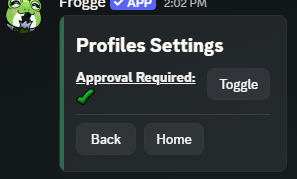
One setting, present on both surfaces: whether submitting a character requires admin approval before it can be posted. When off, submitting a character skips straight to Approved.
A button right on the Profiles menu itself: Approval Required toggle.
The venue's Settings page has a Require admin approval before a profile character can be posted checkbox.