Server Log
✨ Introduced in Frogge v1.0
Server Log streams real Discord server activity, deleted/edited messages, members joining, leaving, or getting banned, roles and channels changing, voice movement, into a dedicated channel, one event type at a time. It's Discord-native activity logging, and it's separate from every other module's venue-wide Log Channel setting (the one Forms, Profiles, and Raffles post admin notices to): Server Log has its own dedicated channel and its own event catalog, not shared with anything else.
Note
The Dashboard already calls this Server Log. Discord still labels it Audit Log everywhere (the module's menu title, its Settings entry); that rename hasn't shipped on the Bot side yet. This page uses the name it'll carry once that lands.
Quick Start
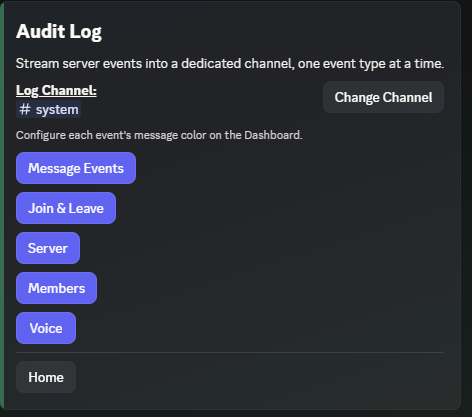
- Run /admin menu → → → , then pick a channel.
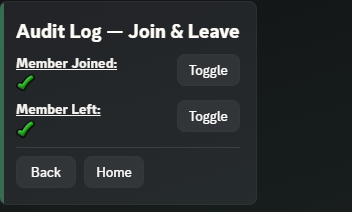
- Pick a category (Message Events, Join & Leave, Server, Members, or Voice), then on the specific events you want logged. Everything starts off.
 →
→ 
- Open Server Log, pick a Log Channel.
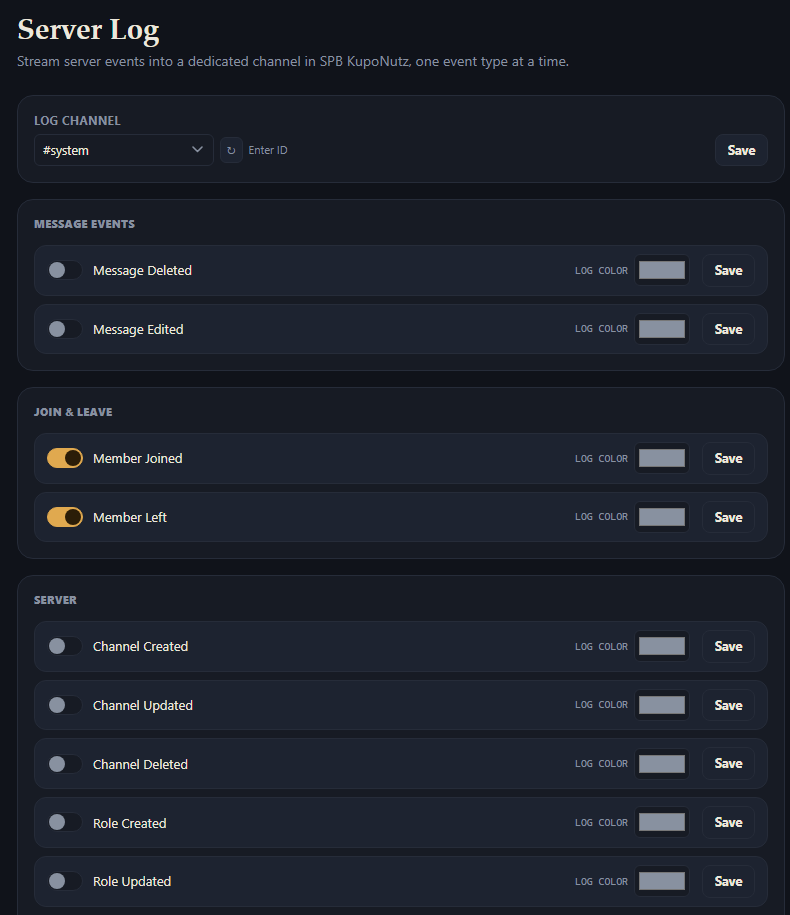
- Each event is listed with a toggle and a color swatch: flip on the ones you want, and optionally set a custom embed color per event.
Full reference
Setting the channel
(or Change Channel, once one's set) picks a text channel and posts a confirmation message there immediately, so you know it's working.
The same channel picker sits at the top of the page; saving takes effect immediately, no confirmation message.
Event catalog
21 events across 5 categories, every one off by default until you turn it on:
- Message Events: Message Deleted, Message Edited (only fires for an actual content change, not e.g. a link's embed unfurling afterward).
- Join & Leave: Member Joined, Member Left.
- Server: Channel Created, Channel Updated, Channel Deleted, Role Created, Role Updated, Role Deleted, Server Updated, Emoji Changed.
- Members: Name Changed, Avatar Changed, Member Banned, Member Unbanned, Member Timed Out, Timeout Removed.
- Voice: Voice Channel Joined, Voice Channel Moved, Voice Channel Left.
Name and avatar changes are account-wide on Discord's side, not server-specific, so they log to every mutual server you share with Frogge that has that toggle on, not just this one.
Each category opens its own screen listing that category's events with a per row.
All 5 categories are listed on one page, each event as its own row with an inline toggle.
Colors
Each event can have its own embed color; left unset, it falls back to Discord's default blurple.
Not configurable here; the settings screen points you to the Dashboard for this.
Every event row has a color picker, plus a Clear color link once one's set.